Download the mobile app


learn
legal
BTC Markets Pty Ltd ACN 164 093 887 is an authorised representative (AR No. 1297122) of BTCM Payments Limited ACN 643 241 829 (AFSL No. 525840)
©2026 BTC Markets Pty Ltd. All rights reserved.
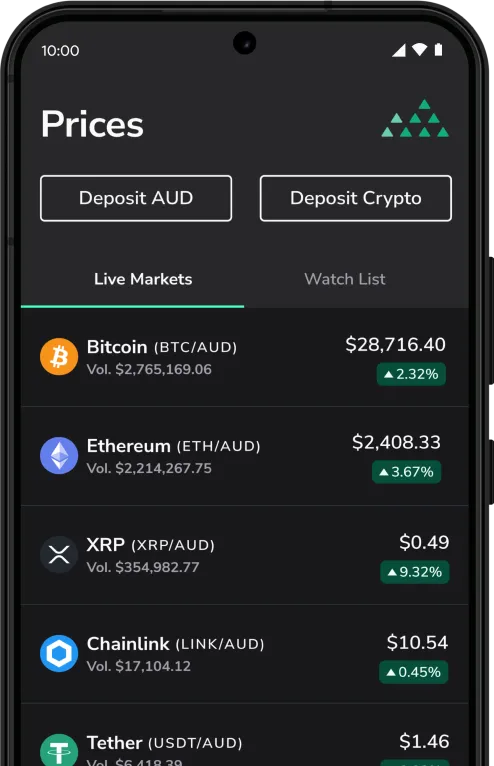
Investing in crypto and digital assets shouldn’t be complicated, so we’ve built an entirely new trading experience from the ground up, allowing you to buy and sell assets with a few clicks.
Whether you’re new to crypto or just want a simpler way to buy, sell and manage your assets, this new experience puts that power in your hands.
Quick Buy/Sell allows you to buy crypto assets in just a few clicks, without needing to place orders on the exchange order books.
You’ll need a fully verified and funded BTC Markets account to use this feature. For instructions on how to deposit funds, see: How to fund your account.
1. Sign in to your BTC Markets account via the website, selecting New from login options.
2. Ensure that you're on the New platform. You can verify or switch to the New platform from the top navigation bar.
3. Select Quick Buy/Sell in the left menu bar.
4. The Buy tab should be pre-selected.
5. Choose the asset you want to buy using the drop-down list below the Buy and Sell tabs.
Note: The assets available through Simple Trade may differ from those listed on the exchange. We are continuing to expand asset availability. If the asset you are looking for is not available on Simple Trade, you can still access it on the exchange.
6. Enter the dollar amount you want to spend on the asset or use the Spend all option to apply your entire balance.
7. Click Review buy to proceed.
8. Review the order details:
9. Click the Confirm and buy button.
10. If successful, a confirmation screen will appear.
Important information: In some cases, submitting a buy order may not result in an immediate or successful purchase.
If your trade is not completed or you encounter an issue, please raise a support ticket and our team will assist you.
Download the mobile app
BTC Markets Pty Ltd ACN 164 093 887 is an authorised representative (AR No. 1297122) of BTCM Payments Limited ACN 643 241 829 (AFSL No. 525840)
©2026 BTC Markets Pty Ltd. All rights reserved.